Conversion Surfaces
Comprehensive technical reference for conversion surfaces — modals, banners, slide-ins, sticky notifications, and inline prompts that drive registrations, subscriptions, and newsletter signups on the Reader Portal, with targeting rules, frequency control, and impression/conversion analytics.
What Are Conversion Surfaces?
Conversion Surfaces are configurable promotional units — modals, banners, slide-in panels, sticky notifications, and inline embeds — that appear on the Reader Portal to nudge readers toward a desired action: creating a free account, subscribing to a paid plan, joining the newsletter, redeeming a coupon, or visiting a campaign, event, or product page.
They are not random pop-ups. Each surface is created and tuned in the Admin Console by the marketing team, stored centrally in PostgreSQL, and then served to the Reader Portal where a targeting engine decides — per reader, per page, per visit — whether the surface is eligible, when it should fire, and how often it may reappear. Every display and interaction is tracked so the team can measure exactly which surfaces convert.
A single surface knows:
- Who to show to — anonymous visitors, registered (free) readers, paid subscribers, newsletter segments
- Where to show — which page types, devices, URLs, content sections/tags, and traffic sources (UTM)
- When to fire — on page load, after time on page, at a scroll depth, on exit intent, after N page views, or after an article is read
- How often — a frequency cap per session/day/week/month, plus dismiss and conversion suppression
- What to say — title, subtitle, body, image, theme, primary/secondary CTAs
- What to offer — a linked coupon (auto-applied at checkout), subscription plan, campaign, event, product, or newsletter
The primary process flow, from authoring to measurement, looks like this.
Business Objectives
| Objective | How Conversion Surfaces Help |
|---|---|
| Grow registered reader base | Show registration prompts to anonymous visitors after they engage with content |
| Convert free readers to paid subscribers | Present subscription offers at high-intent moments (after finishing an article, on paywalled content) |
| Grow newsletter audience | Offer newsletter sign-up at contextually relevant points |
| Promote campaigns & events | Drive awareness for literary events, contests, and outreach campaigns |
| Drive e-commerce sales | Promote bookstore products to engaged readers |
| Recover abandoning visitors | Capture attention on exit intent before readers leave the site |
| Distribute discount codes | Deliver coupon codes through targeted, timed surfaces that auto-apply at checkout |
| Measure marketing effectiveness | Track impressions, clicks, dismissals, conversions, and attribution via internal analytics and GA4 |
How It Works (Behind the Scenes)
A conversion surface lives in three tiers. The Admin Console (:3000) is where it is authored, stored, and reported. PostgreSQL/Prisma is the single source of truth (conversion_surfaces and conversion_events tables). The Reader Portal (:3002) fetches eligible surfaces, evaluates client-side triggers and frequency caps, renders the winning surface, and posts events back.
Server vs. client responsibilities
| Decision | Where it happens | Why |
|---|---|---|
| Targeting match (audience, page type, device, UTM, URL include/exclude) | Server (/api/public/conversion-surfaces/eligible) | Targeting rules and active status are authoritative in the DB; only eligible surfaces leave the server. |
| Coupon validity (active, not expired, not exhausted), linked-entity validity | Server | Avoids ever shipping a dead coupon/plan to the browser. |
| Priority ordering (highest wins) | Server (orderBy: priority desc) | Conflict resolution is centralized. |
| Trigger firing (page_load, time, scroll, exit intent, page views, after read) | Client | These are real-time browser signals. |
| Frequency cap + dismiss/conversion suppression | Client (localStorage) for anonymous; server-assisted for authenticated readers | Fast checks for anonymous; cross-device accuracy for logged-in readers via conversion_events. |
| Event recording + counter increment | Server (/api/public/conversion-surfaces/event) | Single write path keeps conversion_events and counters consistent. |
Lifecycle cron
A background job (/api/cron/conversion-surface-lifecycle) runs on a schedule and performs two updateMany operations:
status = scheduledANDstartsAt <= now→activestatus = activeANDendsAt < now(endsAt not null) →expired
So a scheduled surface goes live, and an active surface expires, within one cron interval (~15 minutes) of its boundary time.
Reader Portal component architecture
RootLayout
  └─ GlobalConversionSurfaces            (detects page type from URL, applies page suppression)
       └─ ConversionSurfaceProvider      (fetches eligible surfaces from the API)
            └─ ConversionSurfaceRenderer (evaluates triggers + frequency, picks the winner)
                 ├─ ModalSurface
                 ├─ StickyNotificationSurface
                 ├─ SlideInSurface
                 ├─ BannerSurface         (top_full / bottom_full)
                 └─ InlineEmbedSurface
Concepts: Surface Types, Targeting & Analytics
Surface types and placements
The surfaceType enum has six values, and placement is a separate enum controlling on-screen position.
Surface type (surfaceType) | Typical placement (placement) | Dismissible? | Best for |
|---|---|---|---|
modal | center | Yes (X, backdrop, Escape) | High-priority prompts, exit-intent captures |
sticky_notification | bottom_right (default), bottom_left, top_right, top_left | Yes (X) | Low-disruption nudges, newsletter signups |
slide_in | bottom_right / side panel | Yes (X, backdrop, Escape) | Detailed offers, plan comparisons |
top_banner | top_full | Yes (X) | Site-wide announcements, time-limited offers |
bottom_banner | bottom_full | Yes (X) | Persistent subtle CTAs |
inline_embed | inline | No (part of content) | Native, editorial-feeling promotions inside articles |
Valid placement values: center, bottom_right, bottom_left, top_right, top_left, top_full, bottom_full, inline.
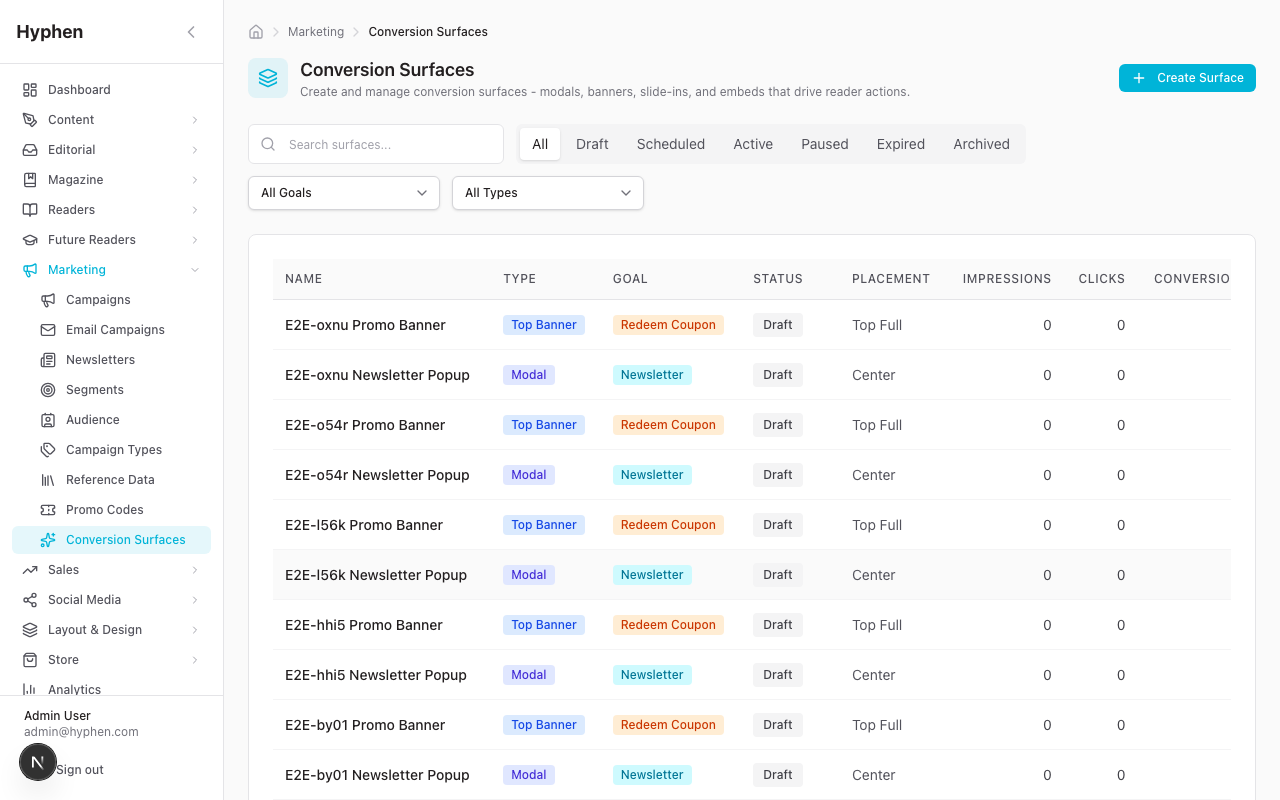
Conversion goals
Each surface has exactly one goal, which defines what counts as a conversion.
| Goal | Reader action | Typical audience |
|---|---|---|
register | Create a free account | Anonymous |
login | Sign back in | Returning anonymous |
subscribe_paid | Purchase a subscription | Anonymous + registered |
subscribe_newsletter | Join the email newsletter | Not-yet-subscribed |
view_campaign | Visit a campaign page | All / targeted |
view_event | RSVP / view an event | All audiences |
redeem_coupon | Use a promo code | Targeted |
view_product | Visit a shop product | All audiences |
visit_pricing | Open the pricing page | Non-subscribers |
custom_cta | Any custom-URL action | Any audience |
The targeting model
Targeting lives in a single targetingRules JSON column. Every dimension is optional — an omitted or empty array means "match all" for that dimension. Logic is AND between dimensions and OR within a dimension. A reader must satisfy all present dimensions to be eligible. The server evaluates these in /api/public/conversion-surfaces/eligible.
| Dimension | Field | Behavior |
|---|---|---|
| Audience | audiences[] | anonymous, registered, subscriber, newsletter_subscribed, newsletter_unsubscribed. Reader must be in at least one. |
| Page type | pageTypes[] | homepage, article, section, archive, search, tag, author, subscribe/pricing, shop/product, campaign, event, issue, newsletter |
| Device | deviceTypes[] | desktop (≥1024px), tablet (768–1023px), mobile (<768px) |
| URL exclude | excludeUrls[] | If the current path contains any pattern, suppress. Exclude wins over include. |
| URL include | includeUrls[] | If set, the current path must contain at least one pattern. |
| Content (article pages) | contentTypes[], sections[], tags[] | Match the article's content type / section / any tag. |
| UTM | utmSource[], utmMedium[], utmCampaign[] | Match the arriving reader's UTM parameters. |
After targeting, the server sorts eligible surfaces by priority descending. The Reader Portal then applies client-side trigger and frequency/suppression checks. The full evaluation funnel:
Triggers (when a surface fires)
The trigger lives in the trigger enum plus three flat numeric columns. Eligibility is server-side; trigger firing is client-side.
Trigger (trigger) | Fires when | Config column |
|---|---|---|
page_load | Immediately on page load | — |
time_on_page | After N seconds on the page | triggerDelaySeconds |
scroll_depth | After scrolling past N% of the page | triggerScrollPercent |
exit_intent | Cursor moves toward browser chrome (desktop only; mobile falls back to a scroll/time signal) | — |
page_view_count | After N page views this session | triggerPageViews |
after_article_read | After the reader reaches the end of an article (article pages only) | — |
manual | Fired programmatically (reserved) | — |
Frequency, suppression & the event funnel
Each surface caps how often a reader sees it. Suppression is checked before frequency, in this order: conversion suppression → dismiss suppression → frequency cap.
| Control | Field | Default | Meaning |
|---|---|---|---|
| Frequency limit | frequencyLimit | 1 | Max displays in the window |
| Frequency window | frequencyUnit | session | session, day, week, month |
| Dismiss suppression | suppressAfterDismiss | 1 | Days hidden after a dismiss (0 = current session only) |
| Conversion suppression (this surface) | suppressAfterConversion | true | Never show again after the reader converts on it |
| Goal-already-met suppression | suppressIfConverted | true | Never show if the reader already met the goal (e.g. already registered) |
| Auto-dismiss | autoDismissSeconds | null | Auto-close after N seconds (null = stays open) |
The event funnel recorded for every surface: impression → click / coupon_copied → conversion, with dismiss as the negative outcome. Frequency state for anonymous readers lives in localStorage (cs_freq_*, cs_dismiss_*, cs_converted_*); for authenticated readers it is also checked server-side against conversion_events.
Adjacent Conversion Entry Points
The Admin-authored surfaces above are not the only conversion touchpoints on the Reader Portal. Three first-party, code-driven entry points sit alongside them and share the same goal — moving a reader from prompt to account or subscription. They are not configured under Marketing → Conversion Surfaces and are not tracked in conversion_events; they are part of the reader experience itself. They are documented here so QA and Customer Success know the full conversion picture.
The paywall overlay
When a reader hits a gated article (registration wall, free-article limit, or a metered allowance), the Reader Portal renders the PaywallOverlay — the single most important conversion surface that is not a marketing surface. Its copy and CTAs adapt to the gate the reader hit:
| Variant | Headline | Primary CTA | Notes |
|---|---|---|---|
| Registration wall (anonymous) | "Pause here for now." | "Sign in or Create an Account" (opens the auth dialog) | One CTA covers both sign-in and account creation. Admin can override label/URL. |
| Free-article limit (logged in) | "Free Article Limit Reached" | "Subscribe for Unlimited Access" → /subscribe | Plus a "View subscription plans" secondary link. |
| Metered allowance used | "We'll keep this page bookmarked." | "Subscribe" → /subscribe (or /subscribe?plan=… when a plan is recommended) | Body: "Beyond this page lies more stories, languages, and literary discoveries. Subscribe now to continue reading." There is no secondary link on this branch. |
The metered overlay copy and CTA use the brand voice: the headline reads "We'll keep this page bookmarked.", the body is the line above, and the default CTA label is "Subscribe". The subscription/metered branch has a single Subscribe button and no secondary "View subscription plans" link (the primary Subscribe button already goes there). When a specific bucket is exhausted, the headline becomes bucket-specific (e.g. "You've used all N of your premium articles"). Admin-configured subscribeCtaText / subscribeCtaUrl always win over these defaults. See Paywall & Access for how gates are decided.
The reader sign-in dialog and the terms-acceptance gate
The overlay's auth CTA opens a shared sign-in dialog (AuthFlow). The dialog enforces an explicit terms-acceptance gate — the reader must tick "I agree to the Terms of Service and Privacy Policy" before they can proceed:
- On the email step, the "Continue with Google" button is disabled until the terms checkbox is checked. The gate is an explicit, required checkbox rather than a passive notice.
- On the account-creation (OTP) step, the Create-account / Sign-in submit button is disabled until the terms checkbox is ticked. A separate, optional newsletter opt-in checkbox sits above it.
- The gate also appears on the sign-in step for returning readers who lack a recorded
termsAcceptedAt(e.g. bulk-created accounts), so consent is captured before they continue.
Consent is recorded with the account, so a reader is asked only until they have accepted. This means a conversion driven by any surface whose goal is register/login lands on a dialog that cannot complete without explicit consent.
The gated /start route (email CTAs)
Email welcome and onboarding CTAs ("Start Reading", verify-email follow-ups) link to /start rather than the bare homepage. /start is a server-side redirect with no rendered UI:
- Signed in → redirect to the homepage to start reading.
- Not signed in → redirect to
/login?callbackUrl=/(sign in first, then land on the homepage).
This ensures a reader who opens an email on a device where they are not authenticated is funnelled through sign-in instead of silently landing on the public homepage with no prompt — closing a conversion leak between email and the portal. The route is marked noindex so it never surfaces in search.
Configuration Reference
Every field on the Create/Edit form. UI path prefix: Admin Console → Marketing → Conversion Surfaces → New / Edit. Roles refer to the permission required to set the field (all editing requires MARKETING_CONVERSION_SURFACES_CREATE or _UPDATE).
Basic information
| Field / Option | What it does | Type | Mandatory? | Default | Where configured | Role |
|---|---|---|---|---|---|---|
| Name | Internal admin label (not shown to readers) | string | Yes | — | Basic Information | CREATE/UPDATE |
| Surface Type | Visual format | enum (6) | Yes | — | Basic Information | CREATE/UPDATE |
| Placement | On-screen position | enum (8) | No | center | Basic Information | CREATE/UPDATE |
| Conversion Goal | Defines what counts as a conversion | enum (10) | Yes | — | Basic Information | CREATE/UPDATE |
| Priority | Higher number wins when multiple are eligible | integer | No | 0 | Basic Information | CREATE/UPDATE |
Content & call-to-action
| Field / Option | What it does | Type | Mandatory? | Default | Where configured | Role |
|---|---|---|---|---|---|---|
| Title | Headline shown to the reader | string | Yes | — | Content | CREATE/UPDATE |
| Subtitle | Supporting line | string | No | — | Content | CREATE/UPDATE |
| Body Text | Longer body copy | text | No | — | Content | CREATE/UPDATE |
| Image URL | Optional illustration | string (URL) | No | — | Content | CREATE/UPDATE |
| Background Color | Override background | string (hex) | No | — | Content | CREATE/UPDATE |
| Theme | Visual theme | light/dark/brand | No | light | Content | CREATE/UPDATE |
| Primary CTA Label | Primary button text | string | Yes | — | Call-to-Action | CREATE/UPDATE |
| Primary CTA URL | Primary button destination (UTM auto-appended) | string (URL) | Yes | — | Call-to-Action | CREATE/UPDATE |
| Secondary CTA Label | Secondary button text | string | No | — | Call-to-Action | CREATE/UPDATE |
| Secondary CTA URL | Secondary destination / dismiss | string (URL) | No | — | Call-to-Action | CREATE/UPDATE |
Entity links
| Field / Option | What it does | Type | Mandatory? | Default | Where configured | Role |
|---|---|---|---|---|---|---|
| Linked Coupon | Shows code + copy button; auto-applies at checkout. Server hides invalid coupons. | couponId | No | — | Entity Links | CREATE/UPDATE |
| Linked Plan | Plan context for subscribe goals | planId | No | — | Entity Links | CREATE/UPDATE |
| Linked Campaign | CTA targets a campaign | campaignId | No | — | Entity Links | CREATE/UPDATE |
| Linked Event | CTA targets an event | eventId | No | — | Entity Links | CREATE/UPDATE |
| Linked Product | CTA targets a shop product | productId | No | — | Entity Links | CREATE/UPDATE |
| Newsletter | Newsletter edition reference | newsletterSlug | No | — | Entity Links | CREATE/UPDATE |
Targeting (all optional — empty = match all)
| Field / Option | What it does | Type | Mandatory? | Default | Where configured | Role |
|---|---|---|---|---|---|---|
| Audiences | Reader auth/subscription segments | string[] | No | [] (all) | Targeting | CREATE/UPDATE |
| Page Types | Restrict to page types | string[] | No | [] (all) | Targeting | CREATE/UPDATE |
| Device Types | Restrict to devices | string[] | No | [] (all) | Targeting | CREATE/UPDATE |
| Content Types / Sections / Tags | Article-level targeting | string[] | No | [] (all) | Targeting (advanced) | CREATE/UPDATE |
| Include / Exclude URLs | Path-pattern allow/deny (exclude wins) | string[] | No | [] | Targeting (advanced) | CREATE/UPDATE |
| UTM Source / Medium / Campaign | Channel targeting | string[] | No | [] (all) | Targeting (advanced) | CREATE/UPDATE |
Trigger, frequency & scheduling
| Field / Option | What it does | Type | Mandatory? | Default | Where configured | Role |
|---|---|---|---|---|---|---|
| Trigger | When the surface fires | enum (7) | No | page_load | Trigger | CREATE/UPDATE |
| Trigger Delay Seconds | For time_on_page | integer | No | 0 | Trigger | CREATE/UPDATE |
| Trigger Scroll Percent | For scroll_depth | integer | No | 0 | Trigger | CREATE/UPDATE |
| Trigger Page Views | For page_view_count | integer | No | 0 | Trigger | CREATE/UPDATE |
| Frequency Limit | Max displays per window | integer | No | 1 | Frequency & Scheduling | CREATE/UPDATE |
| Frequency Unit | Window | enum (4) | No | session | Frequency & Scheduling | CREATE/UPDATE |
| Suppress After Dismiss | Days hidden after dismiss | integer | No | 1 | Frequency & Scheduling | CREATE/UPDATE |
| Auto-Dismiss Seconds | Auto-close after N seconds | integer? | No | null | Frequency & Scheduling | CREATE/UPDATE |
| Suppress After Conversion | Hide after converting on this surface | boolean | No | true | Frequency & Scheduling | CREATE/UPDATE |
| Suppress If Converted | Hide if goal already met | boolean | No | true | Frequency & Scheduling | CREATE/UPDATE |
| Status | Lifecycle state | enum (6) | No | draft | Status | UPDATE |
| Starts At | Scheduled activation time | datetime? | No | — | Frequency & Scheduling | CREATE/UPDATE |
| Ends At | Auto-expiration time | datetime? | No | — | Frequency & Scheduling | CREATE/UPDATE |
Status lifecycle
| Status | Visible to readers? | Notes |
|---|---|---|
draft | No | Default on create / duplicate |
scheduled | No | Has a future startsAt; cron auto-activates |
active | Yes | Live to eligible readers |
paused | No | Manually disabled |
expired | No | Past endsAt; cron auto-expires |
archived | No | Terminal; preserved for analytics |
Transitions: draft → active/scheduled/archived · scheduled → active/draft/archived · active → paused/archived · paused → active/archived · expired → archived · archived → (none).
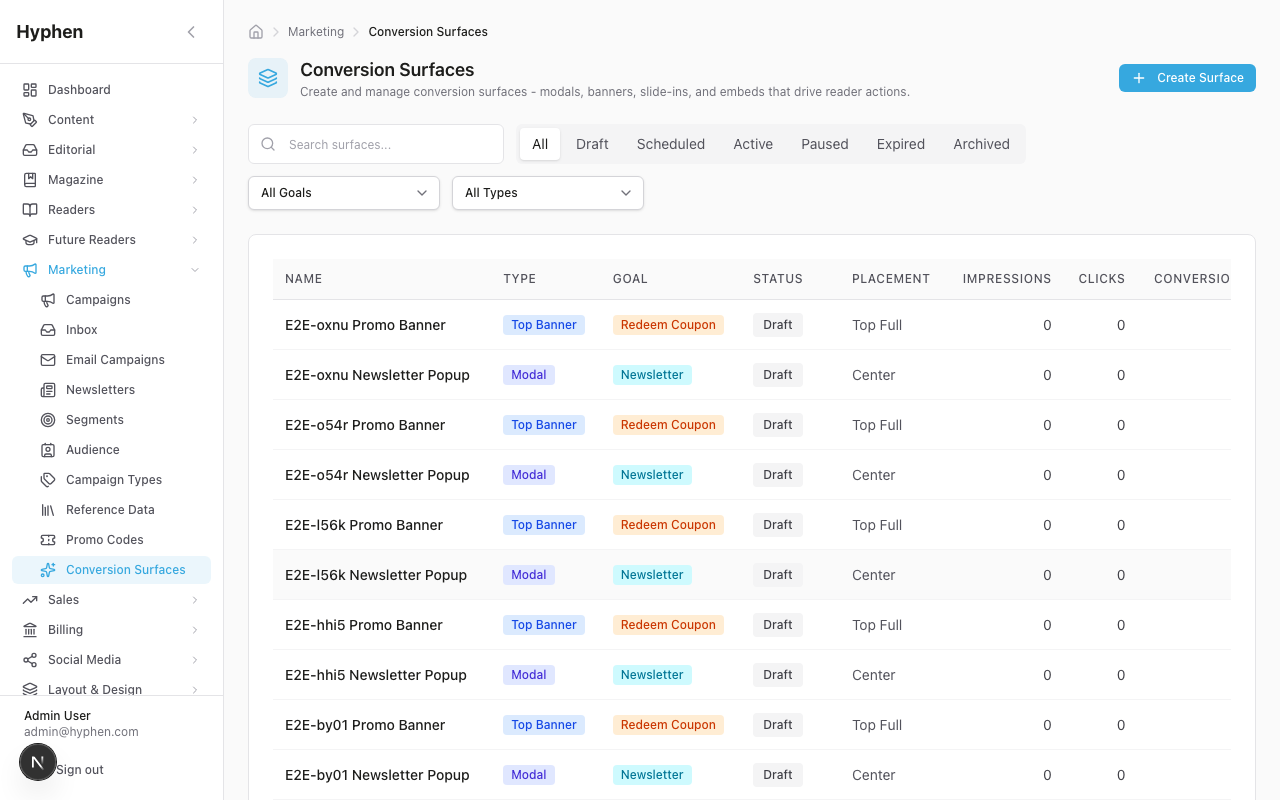
Coupon integration
When a coupon is linked, the eligible API validates it server-side and only ships it if it is active (isActive = true), not expired (validTo >= now or null), and not exhausted (usedCount < maxUses when maxUses is set). If any check fails the surface still renders, but without the coupon. The reader sees the code with a Copy Code button (fires a coupon_copied event), and for checkout/subscribe CTAs the code is appended as ?coupon=CODE for auto-apply.
UTM attribution
Internal/same-origin CTA URLs are auto-enriched: utm_source=conversion_surface, utm_medium=promo, utm_campaign=cs_{goal}_{surfaceId}. Existing UTM params on the URL are never overwritten, so downstream conversions attribute back to the originating surface.
RBAC
| Permission | Grants |
|---|---|
MARKETING_CONVERSION_SURFACES_READ | View list, details, and stats |
MARKETING_CONVERSION_SURFACES_CREATE | Create surfaces, duplicate, seed templates |
MARKETING_CONVERSION_SURFACES_UPDATE | Edit surfaces, change status |
MARKETING_CONVERSION_SURFACES_DELETE | Archive surfaces |
The public Reader Portal endpoints (/api/public/conversion-surfaces/eligible and /event) require no admin auth — they optionally detect a reader token for audience/suppression accuracy.
Analytics & Tracking
Every interaction is written to the conversion_events table (ConversionEventType: impression, click, dismiss, conversion, coupon_copied) with reader context (readerId?, sessionId), page context (pageUrl, pageType, deviceType), UTM context, and metadata. Internal events are recorded regardless of analytics consent; GA4 events fire only with consent.
The surface row keeps denormalized counters incremented in the same write path: impressionCount, clickCount, dismissCount, conversionCount. Note: coupon_copied is intentionally not mapped to a counter — it is captured as an event row only.
Derived metrics in the stats API: CTR (clickCount/impressionCount), dismiss rate, conversion rate, and engagement rate ((clicks + conversions)/impressions). The admin stats view breaks these down by device, page type, and UTM source, with a daily/weekly/monthly time series.
GA4 events mirror the funnel: conversion_surface_impression, conversion_surface_click, conversion_surface_dismiss, conversion_surface_conversion, coupon_copied, plus goal-specific newsletter_signup and registration_start.
Dependencies & Impact
Conversion Surfaces sit at the intersection of several modules.
| Module | Relationship |
|---|---|
| Marketing | Surfaces are a Marketing & Outreach capability; coupons, campaigns, and UTM attribution originate here. |
| Subscriptions | subscribe_paid / visit_pricing surfaces drive subscription conversions; linked plans and coupons feed the checkout. |
| Paywall & Access | Subscription surfaces complement paywall gates; audience targeting (registered, subscriber) depends on access state. The paywall overlay itself is a code-driven conversion surface (see Adjacent Conversion Entry Points). |
| Analytics | Impression/conversion events feed both internal reporting and GA4, enabling cross-funnel attribution. |
Operational dependencies: the lifecycle cron must run for scheduled activation/expiration; GA4 + consent gating governs external analytics; linked coupons/plans/campaigns/events/products must stay valid or the eligible API silently drops them; the Reader Portal renders surfaces globally except on suppressed pages (/login, /register, /account/*, /subscribe/*, maintenance, preview).
Impact when changed: activating a high-priority surface can suppress lower-priority ones (one overlay per page load); editing targeting changes who sees it on the next eligibility fetch (not retroactively); archiving preserves history but removes the surface from readers immediately.
Known Limitations
| Limitation | Workaround |
|---|---|
| No native A/B testing | Two surfaces, same targeting, different priority |
| No geographic targeting | Use UTM targeting |
| Cron lag up to one interval (~15 min) on schedule boundaries | Manually flip status for exact-time go-live |
| Exit intent is desktop-only | Mobile falls back to scroll/time |
| Anonymous frequency is client-side (localStorage) | Server tracking only for authenticated readers |
| One overlay surface per page load | Use priority to pick the winner |
coupon_copied has no denormalized counter | Query conversion_events directly |
FAQ
Analytics Feature Description
Feature description and technical reference for the analytics module, with deep-dives on content-performance and subscription/revenue metrics
Paywall & Access
How content gating works end-to-end — access levels, the magazine access ladder, entitlement resolution, content access rules, metered preview, and where every access setting is configured.