Analytics Feature Description
Feature description and technical reference for the analytics module, with deep-dives on content-performance and subscription/revenue metrics
0. Overview — What This Guide Covers
This is the deep-dive reference for two specific analytics surfaces:
- Content Performance Analytics — how individual articles and sections are performing (page views, active users, engagement time, scroll depth).
- Subscription & Revenue Metrics — the business-health view (MRR, ARR, churn, growth, revenue by plan and by month).
For the dashboard overview, the full GA4 event catalog, traffic sources, device/browser, institutional usage, social, and export workflows, see the companion Analytics guide. This document focuses on how the two feature areas above are computed end-to-end and what every field means, so you can trust the numbers and debug them when they look wrong.
The single most important rule to internalise: content performance is sourced from Google Analytics 4 (GA4); subscription and revenue metrics are sourced from the platform's own PostgreSQL database (Prisma). They never cross over. GA4 is never used for money; the database is never used for traffic.
1. What Is the Analytics & Reporting System?
The Analytics & Reporting system tracks, measures, and visualizes how readers interact with the Hyphen publishing platform. It combines two data sources:
-
Google Analytics 4 (GA4) — Tracks real-time reader behavior on the Reader Portal: page views, scroll depth, article reading time, paywall interactions, device types, geographic data, and traffic sources.
-
Internal Platform Data (PostgreSQL/Prisma) — Tracks subscription metrics, revenue, reader registrations, institutional usage, content moderation, and social media performance from the platform's own database.
Together, these provide a complete picture across the entire reader lifecycle: from first visit to content consumption to subscription conversion to long-term retention.
How It Works (Behind the Scenes)
The two feature areas this guide covers have two completely separate pipelines. Understanding the difference is the key to trusting and debugging the numbers.
Content Performance pipeline (GA4)
- The Reader Portal loads
gtag.js(subject to cookie consent). GA4 recordspage_viewevents automatically andscrollevents via GA4 enhanced measurement (the nativepercent_scrolledparameter at 90% by default, plus the platform's ownarticle_scroll_depthmilestones). - GA4 ingests and aggregates this server-side in the Google Analytics property.
- The Admin Console calls
GET /api/analytics/content-performance?days=N. That route authenticates to the GA4 Data API — with a service-account JWT whenGA4_SERVICE_ACCOUNT_KEYis set, or via Application Default Credentials (ADC) from a VM-attached service account when it is not — and runs threerunReportqueries:- Top articles — dimensions
pagePath+pageTitle, metricsaverageSessionDuration,screenPageViews,activeUsers, filtered to paths beginning with/articles/, ordered by engagement time (limit 20). - Scroll-depth distribution — dimension
percentScrolled, metriceventCount, filtered toeventName = scroll; counts are bucketed into 25/50/75/100 and converted to percentages of total scroll events. - Engagement by section — dimension
contentGroup, metricsaverageSessionDuration,screenPageViews,activeUsers(limit 15;(not set)rows dropped).
- Top articles — dimensions
- If GA4 is not configured, the route returns
{ configured: false }with empty arrays — the page renders an empty state rather than erroring.
Subscription & Revenue pipeline (Prisma)
- Real subscription lifecycle events (create, renew, cancel) and successful
Paymentrows accumulate in PostgreSQL as readers transact. - The Admin Console calls
GET /api/analytics/subscription-metrics, which queries Prisma directly and derives MRR, ARR, churn, growth, revenue-by-month (12 buckets) and revenue-by-plan in real time. - In parallel, an hourly cron (
POST /api/cron/snapshot-analytics) computes the current-period subscription/revenue figures and upserts one row per calendar day intodaily_analytics_snapshots. This snapshot table backs fast dashboard loads and powers trend/alerting without re-running heavy aggregates on every request.
Naming caution —
doc_activity_eventsis NOT a content-analytics table. Despite the name, thedoc_activity_eventsmodel records Google Drive document editing activity (edits, comments, suggestions on Drive docs) for the Editorial Workflow — see Editorial. It does not feed content-performance views. Article-level performance comes from GA4; per-reader reading progress comes fromReadingHistory; article ratings come fromarticle_ratings.
Concepts: Content Performance & Subscription Metrics
Source-of-truth matrix (the two areas in this guide)
| Metric class | Source of truth | Endpoint | Never sourced from |
|---|---|---|---|
| Top articles, engagement time, active users | GA4 Data API | /api/analytics/content-performance | Database view counts |
| Scroll-depth distribution | GA4 (scroll / percentScrolled) | /api/analytics/content-performance | Database |
| Engagement by section | GA4 (contentGroup) | /api/analytics/content-performance | Database |
| Per-reader reading progress | Prisma ReadingHistory | /api/account/history/[articleId] | GA4 |
| Article ratings (1–5) | Prisma article_ratings | reader rating endpoints | GA4 |
| MRR / ARR / revenue | Prisma Payment | /api/analytics/subscription-metrics | GA4 (financial data never from GA4) |
| Churn / growth / active subs | Prisma Subscription | /api/analytics/subscription-metrics | GA4 |
| Daily aggregated business KPIs | Prisma daily_analytics_snapshots | snapshot cron | GA4 |
How content-performance metrics are derived
Each row in the Top Content table is one GA4 page path under /articles/. There is no separate "reads" or "completion" column computed server-side here — completion is inferred from the scroll-depth distribution (% of scroll events that reached 100%). "Dwell" is GA4's averageSessionDuration surfaced as Avg. Engagement Time.
How subscription metrics are derived
The subscription-metrics route computes everything from Prisma in one request:
- MRR = sum of
Payment.amountwherestatus = SUCCEEDEDandcreatedAt >= start of current month. (The hourly snapshot cron uses a more stable plan-price-based MRR — summing active subscriptions' plan prices — so the snapshot doesn't swing with payment timing.) - ARR = MRR × 12.
- Churn rate = subscriptions
CANCELEDthis month ÷ subscriptionsACTIVEat the start of the month, as a percentage. - Growth = (new subs this month − new subs last month) ÷ new subs last month × 100 (or 100% if there were none last month).
- Revenue by month = 12 monthly buckets, each the sum of
SUCCEEDEDPayment.amountin that calendar month. - Revenue by plan = successful payments in the trailing 12 months grouped by the subscription's plan, with per-plan revenue and subscriber count.
- Total active = count of
Subscriptionwherestatus = ACTIVE.
Configuration Reference
There is very little to configure on these surfaces — most controls are read-only views over upstream data. The table below lists every metric and control, what it means, whether it is a UI control or backend-derived value, and the role required.
Content-performance metrics & controls
| Metric / Option | What it means / does | Type | Mandatory? | Default | Where (UI path) | Role |
|---|---|---|---|---|---|---|
| Page Views | GA4 screenPageViews for the article path | Backend (GA4) | n/a | — | Analytics > Top Content | analytics:read |
| Active Users | GA4 activeUsers (unique readers) | Backend (GA4) | n/a | — | Analytics > Top Content | analytics:read |
| Avg. Engagement Time | GA4 averageSessionDuration | Backend (GA4) | n/a | — | Analytics > Top Content | analytics:read |
| Scroll Depth (25/50/75/100%) | % of scroll events reaching each bucket | Backend (GA4) | n/a | — | Analytics > Content Engagement | analytics:read |
| Engagement by Section | Avg engagement time per contentGroup | Backend (GA4) | n/a | — | Analytics | analytics:read |
| Date Range | Lookback window for all GA4 queries | UI control | No | 30d | Analytics > date picker | analytics:read |
| Refresh | Re-runs all queries | UI control | No | — | Analytics > Refresh | analytics:read |
Subscription & revenue metrics
| Metric / Option | What it means / does | Type | Mandatory? | Default | Where (UI path) | Role |
|---|---|---|---|---|---|---|
| MRR | Sum of SUCCEEDED payments this month | Backend (Prisma) | n/a | — | Analytics > Subscription Metrics | analytics:read |
| ARR | MRR × 12 | Derived | n/a | — | Analytics > Subscription Metrics | analytics:read |
| Churn Rate | Canceled this month ÷ active at month start | Derived | n/a | — | Analytics > Subscription Metrics | analytics:read |
| Growth Rate | MoM change in new subscriptions | Derived | n/a | — | Analytics > Subscription Metrics | analytics:read |
| Total Active | Count of ACTIVE subscriptions | Backend (Prisma) | n/a | — | Analytics > Subscription Metrics | analytics:read |
| Revenue by Month | 12-month revenue series | Backend (Prisma) | n/a | — | Analytics > Revenue Trend | analytics:read |
| Revenue by Plan | Per-plan revenue + subscriber count (trailing 12mo) | Backend (Prisma) | n/a | — | Analytics > By Plan | analytics:read |
Export & access controls
| Metric / Option | What it means / does | Type | Mandatory? | Default | Where (UI path) | Role |
|---|---|---|---|---|---|---|
| CSV Export | Downloads traffic/subscription/revenue/content data | UI action | No | — | Analytics > Export | ANALYTICS_EXPORT |
| Page access | View the Analytics page at all | Gate | Yes | — | Sidebar > Analytics | analytics:read |
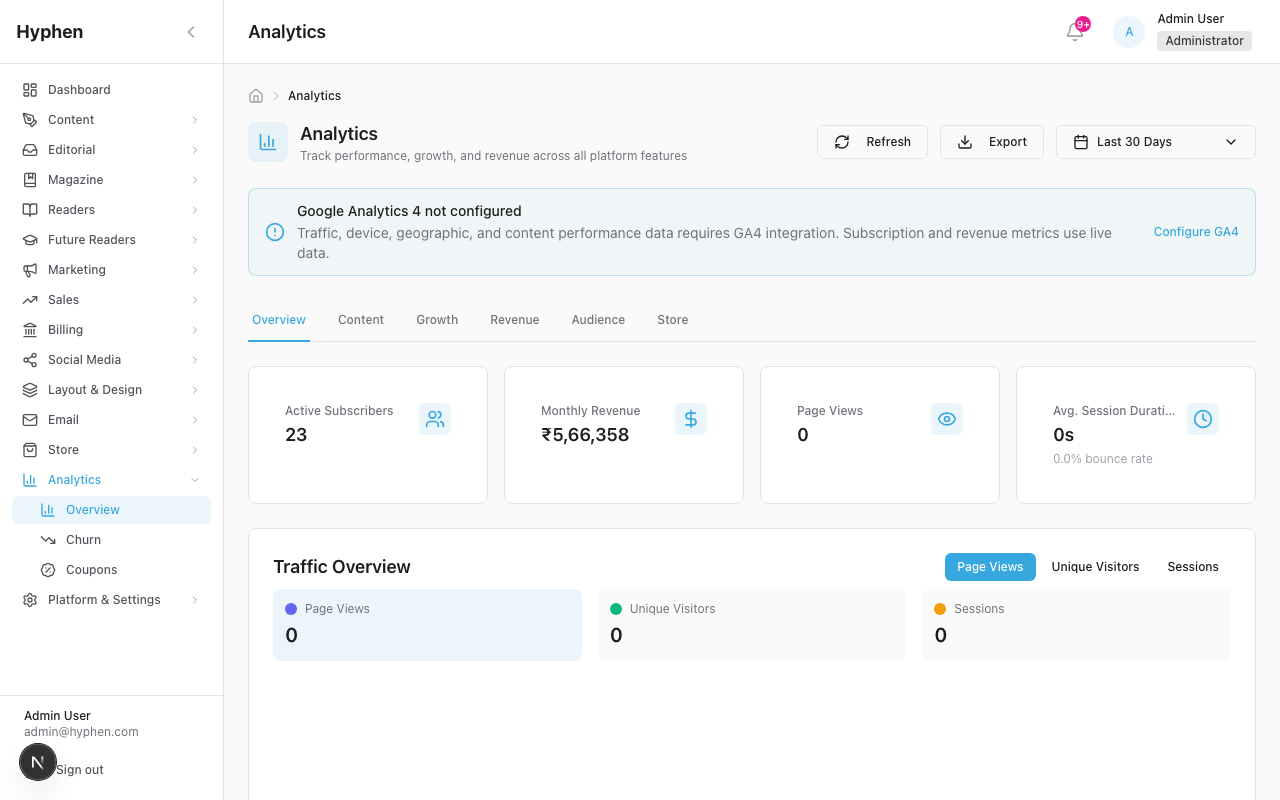
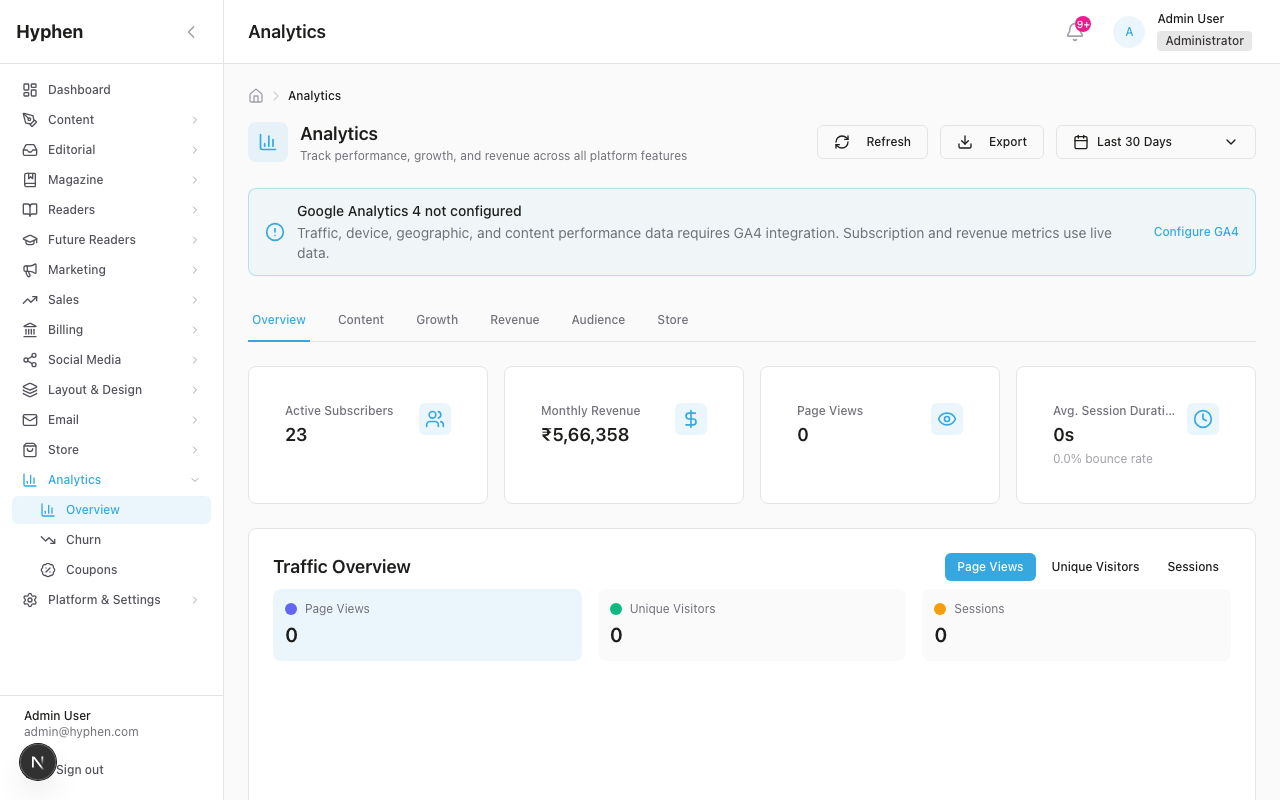
| GA4 configuration | GA4_PROPERTY_ID enables content-performance. Auth is either a GA4_SERVICE_ACCOUNT_KEY (JSON) or, when that env var is absent, Application Default Credentials (ADC) from a VM-attached service account | Env/backend | Property ID required for GA4 data; key optional | unset → empty state | Environment / settings | n/a (ops) |
Dependencies & Impact
These two feature areas sit at a crossroads of several modules. Changes upstream ripple into the numbers shown here.
- Analytics — the dashboard overview, full GA4 event catalog, traffic sources, device/browser, institutional usage, and export workflows. This guide is the deep-dive companion; the overview is the canonical reference for everything not covered here.
- Editorial — owns
doc_activity_events(Drive editing activity) andcontentGroup/ section tagging that feeds engagement by section. Mis-tagged sections show up asUncategorised. - Subscriptions — the source of every financial number. Subscription status transitions and
Paymentrows directly drive MRR, ARR, churn, and growth. Plan price/config changes shift the snapshot's plan-price-based MRR. - Reader Management —
ReadingHistory(per-reader progress) andarticle_ratingslive here; they complement (but do not feed) GA4 content performance. - Marketing — campaigns and conversion surfaces add UTM-tagged traffic that appears in GA4 acquisition reports and influences the funnels referenced from the overview guide.
Impact notes:
- Cookie-consent declines suppress GA4 events, so content-performance numbers under-count real traffic. Subscription metrics are unaffected (authenticated DB writes).
- If the GA4 service account (key-based or ADC) loses access, content-performance silently returns the empty state — subscription metrics keep working.
- The hourly snapshot cron must run for trend/alerting accuracy; a stalled cron leaves
daily_analytics_snapshotsstale even though the live subscription-metrics endpoint stays correct.
2. Business Objectives & KPIs
Primary KPIs Tracked
| KPI Category | Metrics | Data Source | Update Frequency |
|---|---|---|---|
| Traffic | Page Views, Unique Visitors, Sessions, Avg. Session Duration, Bounce Rate | GA4 | Near real-time |
| Content Engagement | Scroll Depth (25/50/75/100%), Read Completion Rate, Avg. Time on Article, Top Articles | GA4 | Near real-time |
| Subscription Health | Total Subscribers, New Subscribers, Churn Rate, MRR, ARR, ARPU, LTV | Prisma DB | Real-time |
| Revenue | Monthly Recurring Revenue, Annual Recurring Revenue, Revenue by Plan, Growth Rate | Prisma DB (Payment table) | Real-time |
| Conversion | Paywall View Rate, Paywall Click-Through Rate, Subscribe Start Rate, Subscribe Completion Rate | GA4 (custom events) | Near real-time |
| Registration | Visitor-to-Registration Rate, Email Verification Rate, Registration-to-Subscription Rate | GA4 + Prisma | Mixed |
| Audience | Desktop/Mobile/Tablet Split, Browser Distribution, Top Countries, Traffic Sources (Organic/Direct/Social/Referral/Email/Paid) | GA4 | Near real-time |
| Institutional | Seat Utilization Rate, Active Users per Institution, Content Access Patterns | Prisma DB | Real-time |
| Social Media | Impressions, Reach, Engagement Rate, Follower Growth, Best Posting Times | Platform APIs (Meta, X) | Periodic sync |
| E-Commerce | Product Views, Add-to-Cart Rate, Checkout Start Rate | GA4 (custom events) | Near real-time |
| Newsletter | Newsletter Views, Scroll Depth, Read Completion, Share Rate | GA4 (custom events) | Near real-time |
Business Questions the System Answers
| Question | Where to Find the Answer |
|---|---|
| "How many people are reading our content?" | Analytics Overview > Key Metrics Cards (Page Views, Unique Visitors) |
| "Which articles are most popular?" | Analytics Overview > Top Content section |
| "How are subscriptions growing?" | Analytics Overview > Subscription Metrics (MRR, New Subscribers, Churn) |
| "Where is our traffic coming from?" | Analytics Overview > Traffic Sources (Organic, Direct, Social, etc.) |
| "How well is the paywall converting?" | Analytics Overview > Paywall Funnel (view -> click -> start -> complete) |
| "What devices do our readers use?" | Analytics Overview > Device Breakdown (Desktop/Mobile/Tablet) |
| "Are institutional subscribers using their access?" | Analytics > Institutional Usage Reports |
| "How are our social posts performing?" | Social > Analytics (Impressions, Engagement, Best Times) |
| "How deep are readers reading articles?" | Analytics Overview > Scroll Depth (25/50/75/100% distribution) |
| "Which marketing channels drive the most conversions?" | GA4 > Acquisition > UTM attribution from conversion surfaces |
3. System Architecture — Where Data Comes From
Reader Portal (Next.js)                      Admin Console (Next.js)
+---------------------------+                +---------------------------+
|                           |                |                           |
|  GoogleAnalytics.tsx      |   GA4 Data     |  Analytics Page           |
|  (gtag.js script)   -----+---API---------->  /api/analytics/*         |
|                           |                |  (ga4-data-client.ts)     |
|  analytics.ts             |                |                           |
|  (custom events)          |   Custom       |  Dashboard Page            |
|  - paywall_view           |   Events       |  /api/stats/dashboard     |
|  - article_scroll_depth   |                |                           |
|  - subscribe_start        |                |  /api/analytics/          |
|  - shop_add_to_cart       |                |   - traffic-sources       |
|  - conversion_surface_*   |                |   - content-performance   |
|  - newsletter_*           |                |   - subscription-metrics  |
|  etc.                     |                |   - paywall-funnel        |
|                           |                |   - registration-funnel   |
|  CookieConsent.tsx        |                |   - device-browser        |
|  (consent gating)         |   Prisma       |   - institutional-usage   |
|                           |   DB Data      |   - author-stats          |
|  ReadingTracker.tsx       +---API---------->   - export                |
|  (progress to backend)    |                |                           |
|                           |                |  /api/stats/subscribers   |
+---------------------------+                +---------------------------+
         |                                              |
         v                                              v
   Google Analytics 4                          PostgreSQL Database
   (GA4 Property)                              (Prisma Models)
   - pageview events                           - Subscription
   - custom events                             - Payment
   - real-time data                            - Reader
   - audience data                             - ReadingHistory
   - acquisition data                          - Institution
                                               - InstitutionUser
                                               - Comment
                                               - ArticleRating
                                               - ConversionEvent
Data Source Mapping
| Data Point | Source | How It Gets There |
|---|---|---|
| Page views | GA4 | Automatic — gtag.js fires page_view on every navigation |
| Unique visitors | GA4 | Automatic — GA4 deduplicates by client ID |
| Article scroll depth | GA4 | Custom event — observeScrollDepth() in article templates fires at 25/50/75/100% |
| Article read complete | GA4 | Custom event — fires when reader scrolls to 100% |
| Paywall views | GA4 | Custom event — trackPaywallView() fires when PaywallOverlay renders |
| Subscribe button clicks | GA4 | Custom event — trackPaywallClickSubscribe() fires on paywall CTA click |
| Subscription start | GA4 | Custom event — trackSubscribeStart() fires when reader begins checkout |
| Subscription complete | GA4 | Custom event — trackSubscribeComplete() fires after payment verification |
| Product views | GA4 | Custom event — trackProductView() fires on shop product page |
| Add to cart | GA4 | Custom event — trackAddToCart() fires on "Add to Cart" button click |
| Newsletter scroll depth | GA4 | Custom event — observeNewsletterScrollDepth() fires at 25/50/75/100% |
| Conversion surface interactions | GA4 + Internal | Dual tracked — GA4 events + ConversionEvent table |
| MRR / ARR / Revenue | Prisma DB | Calculated from Payment + Subscription tables |
| Subscriber counts | Prisma DB | COUNT queries on Subscription table |
| Churn rate | Prisma DB | Cancelled subscriptions / total subscriptions |
| Institutional usage | Prisma DB | InstitutionUser activity data |
| Reading history | Prisma DB | ReadingTracker component POSTs progress data to admin API |
| Traffic sources | GA4 Data API | Server-side query via ga4-data-client.ts |
| Device breakdown | GA4 Data API | Server-side query for deviceCategory dimension |
4. GA4 Event Catalog — Every Event the Platform Fires
4.1 Automatic Events (fired by gtag.js)
| Event | When Fired | Parameters |
|---|---|---|
page_view | Every page navigation | page_path, page_title |
4.2 Article Engagement Events
| Event | When Fired | Parameters | Trigger Location | Status |
|---|---|---|---|---|
article_view | Reader opens an article page | article_slug, article_section, content_type | AnalyticsPageView on article/[slug]/page.tsx | Wired |
article_scroll_depth | Reader scrolls past 25%, 50%, 75%, or 100% of article | article_slug, article_section, scroll_depth (25/50/75/100) | observeScrollDepth() in article templates | Wired |
article_read_complete | Reader scrolls to 100% of article | article_slug, read_time_seconds | observeScrollDepth() at 100% milestone | Wired |
4.3 Paywall Events
| Event | When Fired | Parameters | Trigger Location | Status |
|---|---|---|---|---|
paywall_view | Paywall renders on screen in the article view | article_slug, article_section | ArticleContent (fires when the paywall renders) | Wired |
paywall_click_subscribe | Reader clicks "Subscribe" on a paywall | article_slug | ArticleContent paywall CTA onClick | Wired |
4.4 Subscription Events
| Event | When Fired | Parameters | Trigger Location | Status |
|---|---|---|---|---|
subscribe_start | Reader begins subscription checkout | plan_name, plan_price | Checkout page on mount | Pending wiring |
subscribe_complete | Payment verified and subscription activated | plan_name, payment_method | After payment verification success | Pending wiring |
4.5 E-Commerce / Shop Events
| Event | When Fired | Parameters | Trigger Location | Status |
|---|---|---|---|---|
shop_product_view | Reader opens a product detail page | product_handle, product_name, price | ShopProductDetail on mount | Wired |
shop_add_to_cart | Reader clicks "Add to Cart" | product_handle, product_name, price, quantity | ShopProductDetail and ShopProductGrid add-to-cart handlers | Wired |
shop_checkout_start | Reader clicks "Checkout" in cart | cart_value, item_count | Shop checkout page on mount | Wired |
4.6 Conversion Surface Events
| Event | When Fired | Parameters | Trigger Location |
|---|---|---|---|
conversion_surface_impression | Conversion surface is displayed to reader | surface_id, surface_name, surface_type, conversion_goal, page_url | ConversionSurfaceRenderer on trigger |
conversion_surface_click | Reader clicks surface CTA | surface_id, surface_name, surface_type, conversion_goal, cta_type | ConversionSurfaceProvider trackClick |
conversion_surface_dismiss | Reader dismisses surface | surface_id, surface_name, surface_type, conversion_goal | ConversionSurfaceProvider dismissSurface |
conversion_surface_conversion | Reader completes desired action | surface_id, surface_name, conversion_goal, conversion_type | ConversionSurfaceProvider trackConversion |
coupon_copied | Reader copies a coupon code | surface_id, coupon_code, discount_percent, discount_amount | Surface component copy handler |
4.7 Newsletter Events
| Event | When Fired | Parameters | Trigger Location |
|---|---|---|---|
newsletter_view | Reader opens a newsletter edition page | newsletter_slug, edition_number, topic | Newsletter edition page |
newsletter_scroll_depth | Reader scrolls newsletter at 25/50/75/100% | newsletter_slug, scroll_depth | observeNewsletterScrollDepth() |
newsletter_read_complete | Reader reaches 100% of newsletter | newsletter_slug, read_time_seconds | At 100% milestone |
newsletter_share | Reader shares a newsletter | newsletter_slug, platform | SocialShare on newsletter page |
newsletter_list_view | Reader views newsletter archive list | topic | Newsletter listing page |
newsletter_signup | Reader subscribes to newsletter | source, surface_id | Newsletter form submit |
4.8 Registration Events
| Event | When Fired | Parameters | Trigger Location | Status |
|---|---|---|---|---|
registration_start | Reader begins registration flow | source, surface_id | Register page (fires with source: register_page) | Wired |
Event Flow Summary
Reader Journey:
  Visit site -----> page_view (automatic)
  Browse article -> article_view
  Scroll reading -> article_scroll_depth (25%, 50%, 75%)
  Finish article -> article_scroll_depth (100%) + article_read_complete
  Hit paywall ----> paywall_view
  Click Subscribe > paywall_click_subscribe
  Start checkout -> subscribe_start
  Complete payment> subscribe_complete

  Browse shop ----> shop_product_view
  Add to cart ----> shop_add_to_cart
  Checkout -------> shop_checkout_start

  See promo modal > conversion_surface_impression
  Click CTA ------> conversion_surface_click
  Copy coupon ----> coupon_copied
  Complete action > conversion_surface_conversion
5. Admin Dashboard — Quick Daily Snapshot
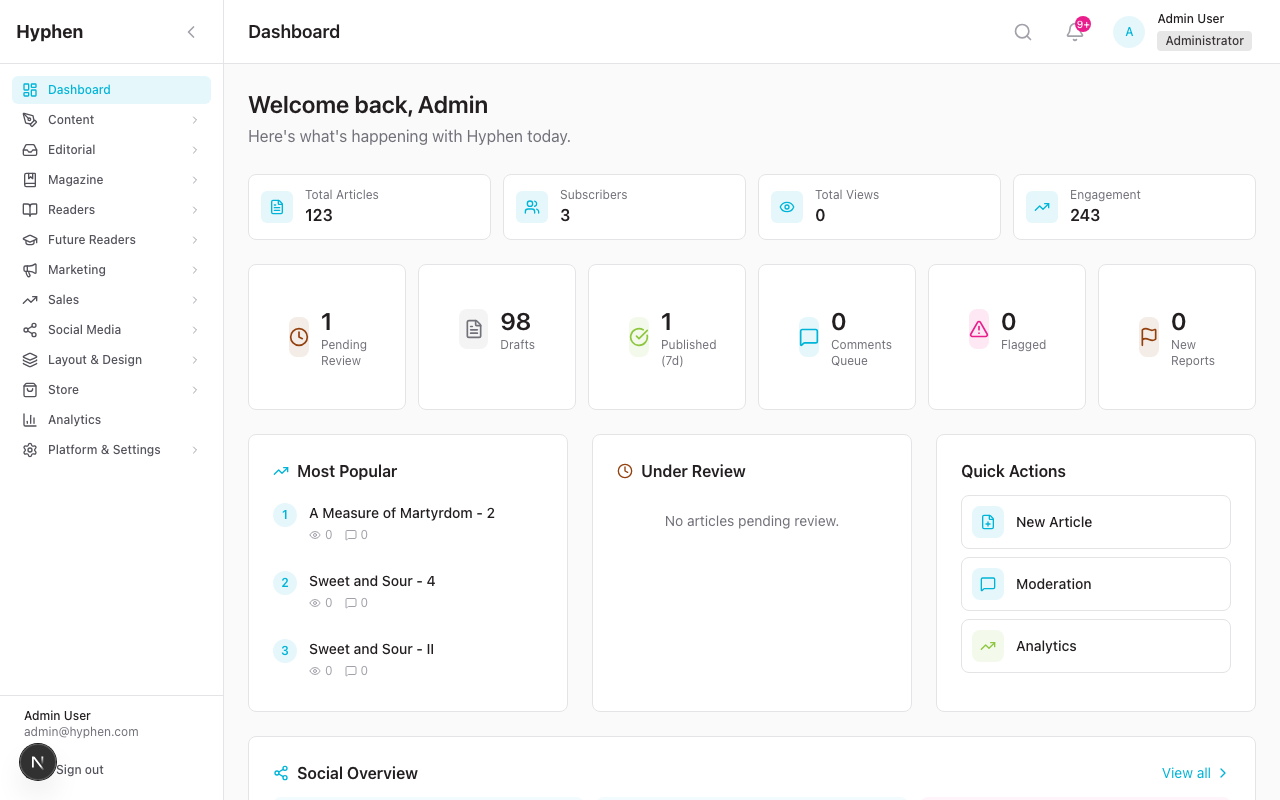
Location
Admin Console > Dashboard (landing page after login)
What It Shows
4 Primary Stat Cards:
| Card | Source | Description |
|---|---|---|
| Total Articles | Prisma DB | All articles across all statuses |
| Subscribers | Prisma DB | Active subscriber count + "+X this month" |
| Total Views | Prisma DB / GA4 | Total article view count |
| Engagement | Prisma DB | Comments + shares combined |
6 Status Cards:
| Card | Source | Clickable? |
|---|---|---|
| Pending Review | Prisma DB (Article.status = pending_review) | Yes -- opens filtered content page |
| Drafts | Prisma DB (Article.status = draft) | Yes -- opens filtered content page |
| Published (7d) | Prisma DB | No |
| Comments Queue | Prisma DB (Comment.status = pending) | Yes -- opens moderation page |
| Flagged | Prisma DB (Comment.status = flagged) | Yes -- opens moderation page |
| New Reports | Prisma DB (ContentReport.status = open) | Yes -- opens moderation page |
3-Column Section:
- Most Popular articles (by view count)
- Under Review articles (pending editorial review)
- Quick Actions (New Article, Moderation, Analytics)
Social Overview Widget:
- Scheduled Today / This Week / Failed post counts
- Quick links to Compose Post and Social Analytics
Recently Published:
- Last 6 published articles with views, comments, shares
6. Analytics Overview Page — Deep Metrics
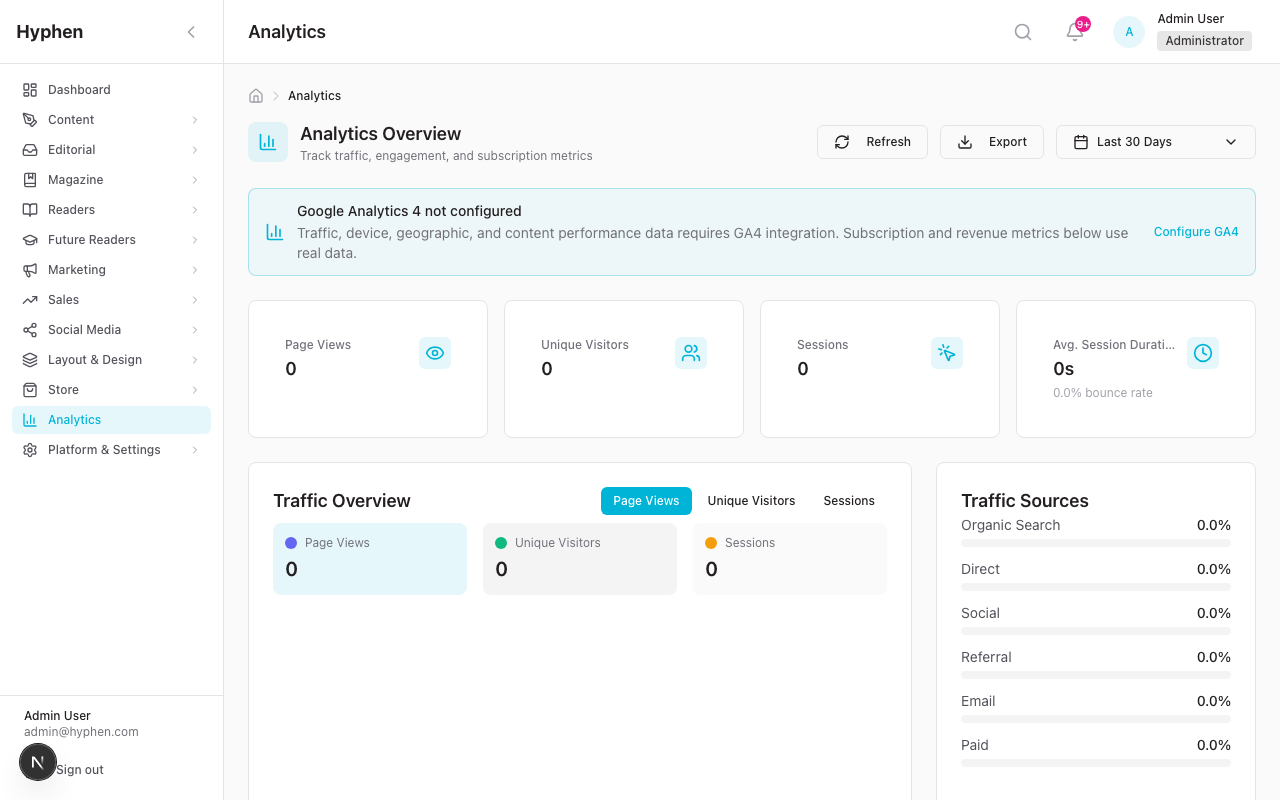
Location
Admin Console > Analytics
Controls
- Date Range Picker: 7d, 30d (default), 90d, 12m, Custom
- Refresh Button: Reloads all data
- Export Button: Downloads CSV report (requires ANALYTICS_EXPORT permission)
Section Layout
| Section | Position | Data Source | Description |
|---|---|---|---|
| Key Metrics Cards | Top row | GA4 | Page Views, Unique Visitors, Sessions, Avg. Session Duration -- each with % change vs previous period |
| Traffic Chart | Left 2/3 | GA4 | Time-series line chart with toggleable lines (Page Views, Unique Visitors, Sessions) |
| Traffic Sources | Right 1/3 | GA4 | Channel breakdown bars (Organic, Direct, Social, Referral, Email, Paid) |
| Subscription Metrics | Left half | Prisma | Total Subscribers, New Subscribers, Churn Rate, MRR, plan breakdown, subscriber trend sparkline, Conversion Rate, ARPU, LTV |
| Top Content | Right half | GA4 | Table: Rank, Title, Page Views, Time on Page, Shares, Comments |
| Paywall Conversion Funnel | Left half | GA4 | 4-stage funnel: Paywall Viewed -> Clicked Subscribe -> Subscription Started -> Subscription Completed |
| Scroll Depth Distribution | Right half | GA4 | Estimated distribution at 25%, 50%, 75%, 100% thresholds |
| Device Breakdown | Left 1/3 | GA4 | Desktop / Mobile / Tablet percentages |
| Top Countries | Right 1/3 | GA4 | Top 5 countries with flag icons and percentage |
| GA4 Link Banner | Bottom | -- | "Need more detailed analytics?" link to Google Analytics |
7. Paywall Conversion Funnel
What It Tracks
The paywall funnel measures the step-by-step conversion journey from seeing a paywall to completing a paid subscription.
| Stage | GA4 Event | Description | Example Count |
|---|---|---|---|
| Paywall Viewed | paywall_view | Reader saw a paywall overlay or gate | 10,000 |
| Clicked Subscribe | paywall_click_subscribe | Reader clicked the "Subscribe" CTA on a paywall | 2,500 (25% of stage 1) |
| Subscription Started | subscribe_start | Reader began the checkout process | 1,200 (12% of stage 1) |
| Subscription Completed | subscribe_complete | Reader completed payment and subscription activated | 450 (4.5% of stage 1) |
How to Read the Funnel
- The conversion rate shown at each stage is relative to the top of the funnel (stage 1)
- A healthy paywall funnel converts 2-5% of paywall views to completed subscriptions
- Large drop-offs between stages indicate friction points:
- Big drop between "Viewed" and "Clicked Subscribe" = paywall messaging isn't compelling
- Big drop between "Started" and "Completed" = checkout friction (price, payment method, UX)
Data Source
GA4 Data API -- server-side query aggregating custom event counts over the selected date range.
8. Registration Funnel
What It Tracks
The registration funnel measures how effectively the platform converts anonymous visitors to active subscribers.
| Stage | Data Source | Description |
|---|---|---|
| Total Visitors | GA4 | Unique visitors in the period |
| Registered | Prisma DB | Readers who created an account |
| Verified | Prisma DB | Readers who verified their email |
| Active Subscribers | Prisma DB | Readers with active paid subscriptions |
API Endpoint
GET /api/analytics/registration-funnel?days=30
9. Subscription & Revenue Metrics
Metrics Displayed
| Metric | Definition | Source |
|---|---|---|
| Total Subscribers | Active + recently cancelled subscribers | Prisma: Subscription table |
| Active Subscribers | Currently paying subscribers | Prisma: Subscription.status = ACTIVE |
| New Subscribers | Subscriptions created in the current month | Prisma: Subscription.createdAt within month |
| Cancelled Subscribers | Subscriptions cancelled in the period | Prisma: Subscription.status = CANCELED |
| Churn Rate | (Cancelled / Total) as percentage | Calculated |
| MRR (Monthly Recurring Revenue) | Sum of monthly subscription payments | Prisma: Payment table aggregation |
| ARR (Annual Recurring Revenue) | MRR x 12 | Calculated |
| ARPU (Avg Revenue Per User) | MRR / Active Subscribers | Calculated |
| LTV (Lifetime Value) | ARPU / Monthly Churn Rate | Calculated (estimated) |
| Conversion Rate | Trial-to-paid conversion percentage | Prisma: Subscription.status transitions |
Revenue by Plan Breakdown
Shows subscriber distribution and revenue contribution per plan (e.g., "Digital Only: 45%, Print+Digital: 30%, Annual: 25%").
Revenue Trend
Monthly time-series chart of revenue, showing growth trajectory.
API Endpoint
GET /api/analytics/subscription-metrics
10. Content Performance Analytics
Metrics Per Article
| Metric | Source | Description |
|---|---|---|
| Page Views | GA4 | Total times the article was loaded |
| Active Users | GA4 | Unique readers who viewed the article |
| Avg. Engagement Time | GA4 | Average time spent reading |
| Scroll Depth | GA4 | Distribution at 25/50/75/100% thresholds |
Top Content Table
Ranked list showing the highest-performing articles by page views, with time-on-page, shares, and comments.
Author Statistics
GET /api/analytics/author-stats — Per-author metrics for editorial performance review.
API Endpoint
GET /api/analytics/content-performance
11. Traffic Source Analysis
Channels Tracked
| Channel | How It's Identified | Example |
|---|---|---|
| Organic Search | Visitors from search engines (Google, Bing) | google / organic |
| Direct | Visitors who typed URL or used bookmark | (direct) / (none) |
| Social | Visitors from social media links | facebook / social, twitter / social |
| Referral | Visitors from other websites linking to you | blog.example.com / referral |
| Visitors from email links (UTM tagged) | newsletter / email | |
| Paid | Visitors from paid advertising | google / cpc, facebook / paid |
UTM Attribution from Conversion Surfaces
When readers click a conversion surface CTA, the URL is automatically tagged with:
utm_source=conversion_surfaceutm_medium=promoutm_campaign=cs_{goal}_{surfaceId}
This appears in GA4 traffic source reports, allowing you to measure the direct impact of conversion surfaces on subscriptions.
API Endpoint
GET /api/analytics/traffic-sources
12. Device & Browser Analytics
Device Categories
- Desktop (screen > 1024px)
- Mobile (screen < 768px)
- Tablet (768-1024px)
Browser Distribution
Top browsers by usage (Chrome, Safari, Firefox, Edge, etc.)
Operating Systems
Distribution across Windows, macOS, iOS, Android, Linux.
API Endpoint
GET /api/analytics/device-browser
13. Institutional Usage Reporting
What It Tracks
For each institution with an active subscription:
| Metric | Description |
|---|---|
| Seats Used / Total | How many assigned seats are actively logging in |
| Utilization Rate | (Active users / Total seats) as percentage |
| Active Users | Users who logged in during the period |
| Content Accessed | Number of articles/issues accessed |
Use Case
Sales and customer success teams use this data to:
- Identify underutilized institutional accounts for engagement outreach
- Prepare usage reports for institutional renewal conversations
- Upsell additional seats to institutions with high utilization
API Endpoint
GET /api/analytics/institutional-usage
14. Social Media Analytics
Location
Admin Console > Social > Analytics
Tabs
- Performance -- Impressions, Reach, Engagements, Engagement Rate, Posts Published, Likes, Comments, Clicks
- Content -- Per-post performance breakdown
- Growth -- Follower growth trends
- Best Times -- Optimal posting time recommendations based on engagement data
- Executive -- Summary view for leadership (requires SOCIAL_EXECUTIVE_READ permission)
Metrics
| Metric | Description |
|---|---|
| Total Impressions | Times posts were displayed |
| Total Reach | Unique people who saw posts |
| Total Engagements | Likes + comments + shares + clicks |
| Avg. Engagement Rate | Engagements / Impressions |
| Posts Published | Number of posts in the period |
| Follower Growth | Net new followers |
15. Data Export & Reporting
Export Formats
- CSV -- Comma-separated values for spreadsheet analysis
- JSON -- Machine-readable format for programmatic use
Available Exports
| Export | Contents |
|---|---|
| Traffic | Page views, visitors, sessions by date |
| Subscriptions | Subscriber counts, MRR, churn by month |
| Revenue | Revenue by month and by plan |
| Content | Top articles with page views, engagement time |
How to Export
- Navigate to Analytics page
- Set the desired date range
- Click the Export button (top-right)
- CSV file downloads automatically
Permission Required
ANALYTICS_EXPORT permission
API Endpoint
GET /api/analytics/export?type=subscriptions&format=csv&days=30
16. Cookie Consent & Privacy
How It Works
- GoogleAnalytics component loads with
analytics_storage: deniedby default - CookieConsent component shows a banner asking the reader to accept cookies
- If reader accepts, consent is stored in
localStorageashyphen_cookie_consent: accepted - On subsequent visits,
analytics_storageis set tograntedbased on stored consent - If reader does not accept, GA4 events are still queued but not sent to Google
Impact on Analytics
- Readers who decline cookies will NOT generate GA4 data
- This means page views, scroll depth, and all custom events from those readers are invisible
- Internal platform data (subscriptions, reading history, bookmarks) is NOT affected by cookie consent -- it's recorded via authenticated API calls
Privacy Compliance
- Cookie consent follows GDPR principles
- No tracking cookies set before consent
- Consent status persisted only in
localStorage(not server-side)
17. Scroll Depth & Reading Engagement Tracking
How Scroll Tracking Works
The observeScrollDepth() function in the Reader Portal:
- Attaches a passive scroll event listener when an article page mounts
- Calculates scroll percentage:
(window.scrollY / (scrollHeight - windowHeight)) * 100 - Fires
article_scroll_depthat each milestone (25%, 50%, 75%, 100%) - Each milestone fires exactly once per page load
- At 100%, also fires
article_read_completewith total read time in seconds
What the Admin Sees
In the Analytics Overview page, the Scroll Depth Distribution section shows estimated percentages:
- % of readers who scrolled to 25%
- % of readers who scrolled to 50%
- % of readers who scrolled to 75%
- % of readers who scrolled to 100% (completed reading)
Reading Progress (Internal Tracking)
Separately from GA4, the ReadingTracker component:
- POSTs reading progress to
/api/account/history/[articleId]at milestones (0/25/50/75/100%) - Tracks
progress,scrollPosition,timeSpentSec - Records
startedAt,lastReadAt,completedAtin the ReadingHistory table - This powers the reader's Reading History page and the Implicit Preference Learning system
18. Conversion Surface Analytics
See the dedicated Conversion Surfaces Feature Description for full details.
Summary of analytics integration:
- 5 GA4 events: impression, click, dismiss, conversion, coupon_copied
- Internal ConversionEvent table: every interaction recorded with reader context
- Denormalized counters on each surface: impressionCount, clickCount, dismissCount, conversionCount
- Admin stats dashboard: totals, rates, time-series, device breakdown, top pages, UTM source breakdown
- UTM attribution: all CTA URLs auto-tagged for GA4 campaign tracking
19. User Stories
For Editors
| ID | As a... | I want to... | So that... |
|---|---|---|---|
| US-01 | Editor | See which articles are most read this week | I can commission similar content |
| US-02 | Editor | Know what percentage of readers finish articles | I can assess if article length is appropriate |
| US-03 | Editor | See which sections have the most traffic | I can allocate editorial resources accordingly |
For Product Managers
| ID | As a... | I want to... | So that... |
|---|---|---|---|
| US-04 | Product Manager | Track the paywall conversion funnel end-to-end | I can identify and fix friction points |
| US-05 | Product Manager | Monitor MRR and subscriber growth monthly | I can report business health to stakeholders |
| US-06 | Product Manager | See the registration-to-subscription conversion rate | I can measure the effectiveness of the onboarding flow |
| US-07 | Product Manager | Compare traffic between date ranges | I can measure the impact of marketing campaigns |
For Marketing
| ID | As a... | I want to... | So that... |
|---|---|---|---|
| US-08 | Marketing Manager | See which traffic sources drive the most subscribers | I can allocate budget to the best channels |
| US-09 | Marketing Manager | Track conversion surface performance (impressions, clicks, conversions) | I can optimize promotional overlays |
| US-10 | Marketing Manager | Know what percentage of traffic comes from social media | I can justify social media investment |
| US-11 | Marketing Manager | Export analytics data as CSV | I can create custom reports for stakeholders |
For Sales / Customer Success
| ID | As a... | I want to... | So that... |
|---|---|---|---|
| US-12 | Sales Manager | See institutional subscription utilization rates | I can identify accounts at risk of churn |
| US-13 | Customer Success | Generate usage reports per institution | I can share data during renewal conversations |
For QA
| ID | As a... | I want to... | So that... |
|---|---|---|---|
| US-14 | QA Engineer | Verify GA4 events fire correctly on the Reader Portal | I can confirm the analytics pipeline is working |
| US-15 | QA Engineer | Confirm the Admin Console displays real data when GA4 is configured | I can validate the full data flow |
| US-16 | QA Engineer | Verify that declining cookie consent suppresses GA4 tracking | I can confirm privacy compliance |
20. Use Cases & Scenarios
Scenario 1: Monitoring a New Issue Launch
Context: New magazine issue published this week. Editor wants to measure reader response.
Steps:
- Open Dashboard -- check "Published (7d)" card for the new issue's articles
- Open Analytics -- set date range to "7d"
- Check Key Metrics -- expect a spike in Page Views and Unique Visitors
- Check Top Content -- new issue's articles should appear in the top 10
- Check Scroll Depth -- look for high completion rates (75-100%) indicating engaged readers
- Check Paywall Funnel -- if issue articles are premium, expect funnel activity
Scenario 2: Evaluating a Marketing Campaign
Context: Marketing ran a Facebook campaign to drive subscriptions.
Steps:
- Open Analytics -- set date range to cover the campaign period
- Check Traffic Sources -- "Social" percentage should be higher than baseline
- Open GA4 directly -- filter by
utm_source=facebookto see campaign-specific metrics - Check Subscription Metrics -- look for a spike in "New Subscribers"
- If conversion surfaces were used, check their stats for UTM attribution (
utm_campaign=cs_subscribe_paid_*)
Scenario 3: Institutional Renewal Preparation
Context: Sales team preparing for an institutional subscription renewal meeting.
Steps:
- Open Analytics > Institutional Usage
- Find the institution by name
- Note: seats used vs total, utilization rate, most active users
- Export the data as CSV for the renewal proposal
- If utilization is low, recommend engagement strategies; if high, propose additional seats
Scenario 4: Diagnosing a Conversion Drop
Context: MRR has dropped this month. Need to diagnose why.
Steps:
- Open Analytics -- compare 30d vs previous 30d
- Check Subscription Metrics -- is churn rate up, or are new subscribers down?
- Check Paywall Funnel -- are fewer people seeing paywalls (traffic drop)? Or is the funnel leaking?
- Check Traffic Sources -- has any channel dropped significantly?
- Check Top Content -- is popular content shifting away from premium articles?
- Check Device Breakdown -- is a mobile issue causing bounce rate increases?
Known Limitations
| Limitation | Description | Impact |
|---|---|---|
| GA4 data delay | GA4 Data API can have 24-48 hour lag for some metrics | Recent data may not reflect the very latest activity |
| No real-time traffic dashboard | Real-time monitoring shows placeholder data | Use GA4 real-time view directly for live monitoring |
| Cookie consent reduces data | Readers who decline cookies are invisible to GA4 | Traffic numbers may undercount actual visitors |
| Traffic trend chart not fully wired | fetchTrafficTrend() returns an empty array | Time-series chart may show flat or no data |
| Geo data not fully wired | fetchGeoData() returns an empty array | Top Countries may show limited data |
| PDF export is placeholder | generatePDFReport() returns placeholder data | Only CSV export is functional |
| No A/B test analytics | No built-in A/B testing framework | Use GA4's built-in experiments for A/B testing |
| Scroll depth is page-level | Scroll tracking measures page scroll, not article content scroll | For very long pages with headers/footers, 100% may not mean "finished article" |
| Social analytics depends on API connections | Social data only appears when Meta/X APIs are connected | Must configure social integrations first |
| Subscription checkout events not yet wired | subscribe_start and subscribe_complete are not yet called from the checkout and payment-verification flows | The bottom two stages of the Paywall Conversion Funnel report zero until these events are wired |
FAQ
Marketing Operations Guide
Operations perspective on campaign lifecycle, team coordination, approval workflows, and day-to-day marketing management
Conversion Surfaces
Comprehensive technical reference for conversion surfaces — modals, banners, slide-ins, sticky notifications, and inline prompts that drive registrations, subscriptions, and newsletter signups on the Reader Portal, with targeting rules, frequency control, and impression/conversion analytics.